_
Simple JWT Authentication in Node.js
Every backend developer runs into authentication sooner or later — usually early, because almost every app needs to know who is making a request. And even if you are not the one building it from scratch, you will still need to read, debug, or extend someone else's auth code. It shows up in nearly every project.
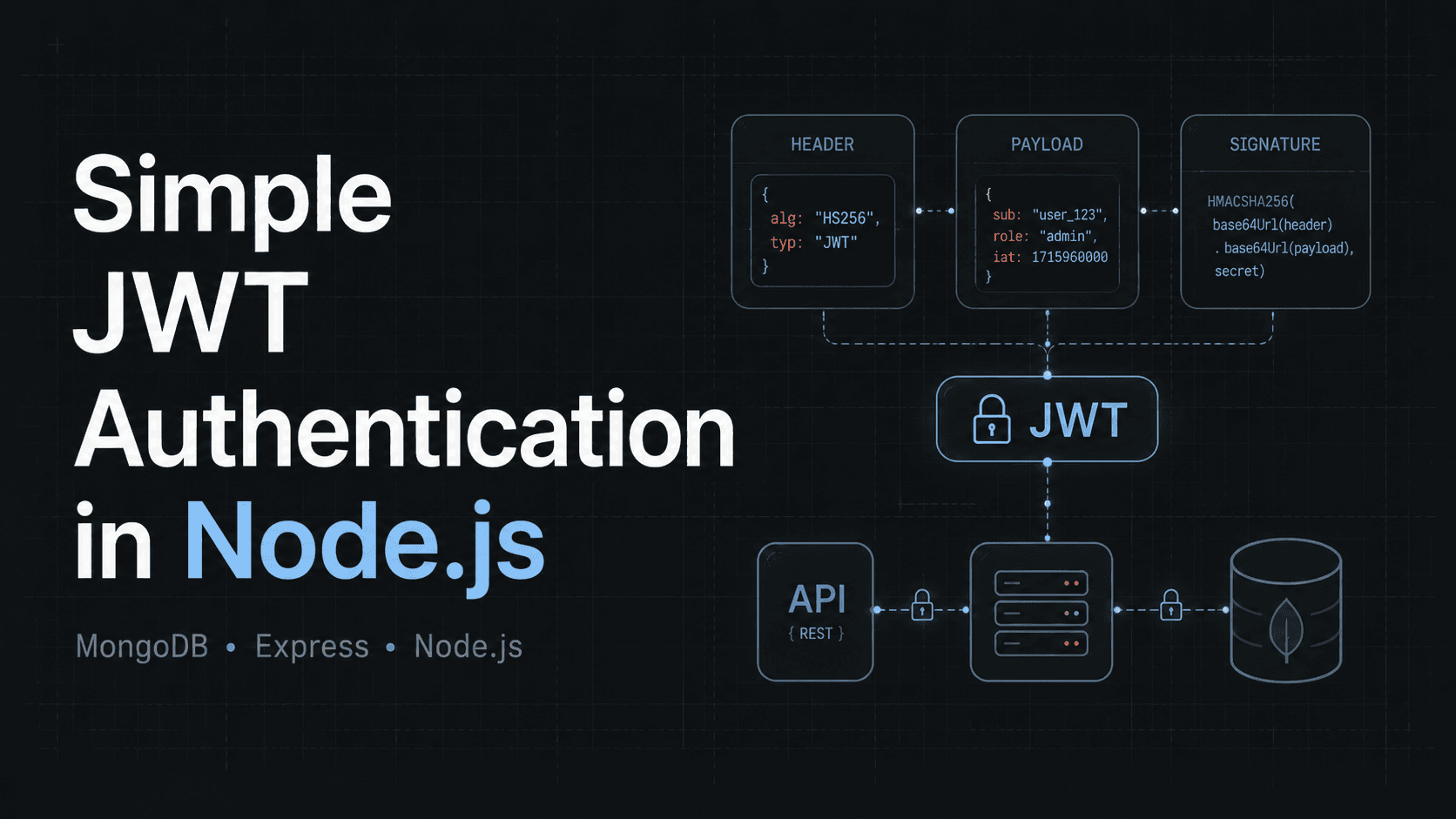
There are many ways to build authentication and authorization. In this article I want to show the simplest JWT-based flow — no sessions, no refresh tokens. Those patterns are more valuable for production-grade systems, but for an MVP or a small project this is enough to get started.
We will assume that the Node.js project already exists, Express 5 installed, MongoDB is running and Mongoose is properly set up, TypeScript is there, do not use JS without types! :)
Step 1: The User Model
Let's assume we already have users in the project. They need a name, a way to log in, and a password stored safely.
import mongoose from "mongoose";
import validator from "validator";

const UserSchema = new mongoose.Schema(
  {
    first_name: { type: String, required: true },
    last_name: { type: String, required: true },
    email: {
      type: String,
      required: true,
      unique: true,
      lowercase: true,
      validate: {
        validator: (value: string) => validator.isEmail(value),
        message: "Invalid email address",
      },
    },
    password: { type: String, required: true },
  },
  { timestamps: true }
);

export const UserModel = mongoose.model("User", UserSchema);
Step 2: Registration
The route stays thin — receive the request, delegate to the service.
import { Router } from "express";

const router = Router();

router.post("/register", async (req, res) => {
  const user = await AuthService.register(req.body);

  return res.status(201).json(user);
});
The service for now just saves the user:
class AuthService {
  public static async register(
    data: Omit<User, '_id' | 'createdAt' | 'updatedAt'>
  ): Promise<User> {
    const user = await UserModel.create(data);

    return user;
  }
}
This works — but there is one serious problem. We are saving the password as a plain string.
Why plain passwords must never be stored
If your database gets leaked and passwords are stored as plain strings, every user's password is immediately exposed. That is why we need to hash them. Hashing transforms a password into a value that cannot be reversed back to the original, but can be compared.
So instead of storing:
mySuperSecretPassword123
we store:
$2b$10$7mN2kL...mockedHashedPassword...eO9fG
bcrypt handles this for us:
npm install bcrypt
npm install -D @types/bcrypt
Now we update the service to hash the password before saving:
class AuthService {
  public static async register(
    data: Omit<User, '_id' | 'createdAt' | 'updatedAt'>
  ): Promise<User> {
    const hashedPassword = await bcrypt.hash(data.password, 10);

    const user = await UserModel.create({
      ...data,
      password: hashedPassword,
    });

    const { password, ...safeUser } = user.toObject();

    return safeUser;
  }
}
Registration is done.
Step 3: Login
The route, same as before — thin:
router.post("/login", async (req, res) => {
  const authData = await AuthService.login(req.body);
  // { user: Omit<User, 'password'>; token: string }

  return res.json(authData);
});
The service verifies the user and returns a token. But before looking at the code — what is that token exactly?
What is a JWT?
JWT stands for JSON Web Token. It is a compact, self-contained string that the server gives to the client after a successful login. The server signs the token and hands it to the client. From that point on, the client sends the token with each request, and the server verifies it using the signature — confirming who the user is and that the token was not tampered with.
The token contains a payload — usually just enough to identify the user. That is all the server needs to know who is making the request.
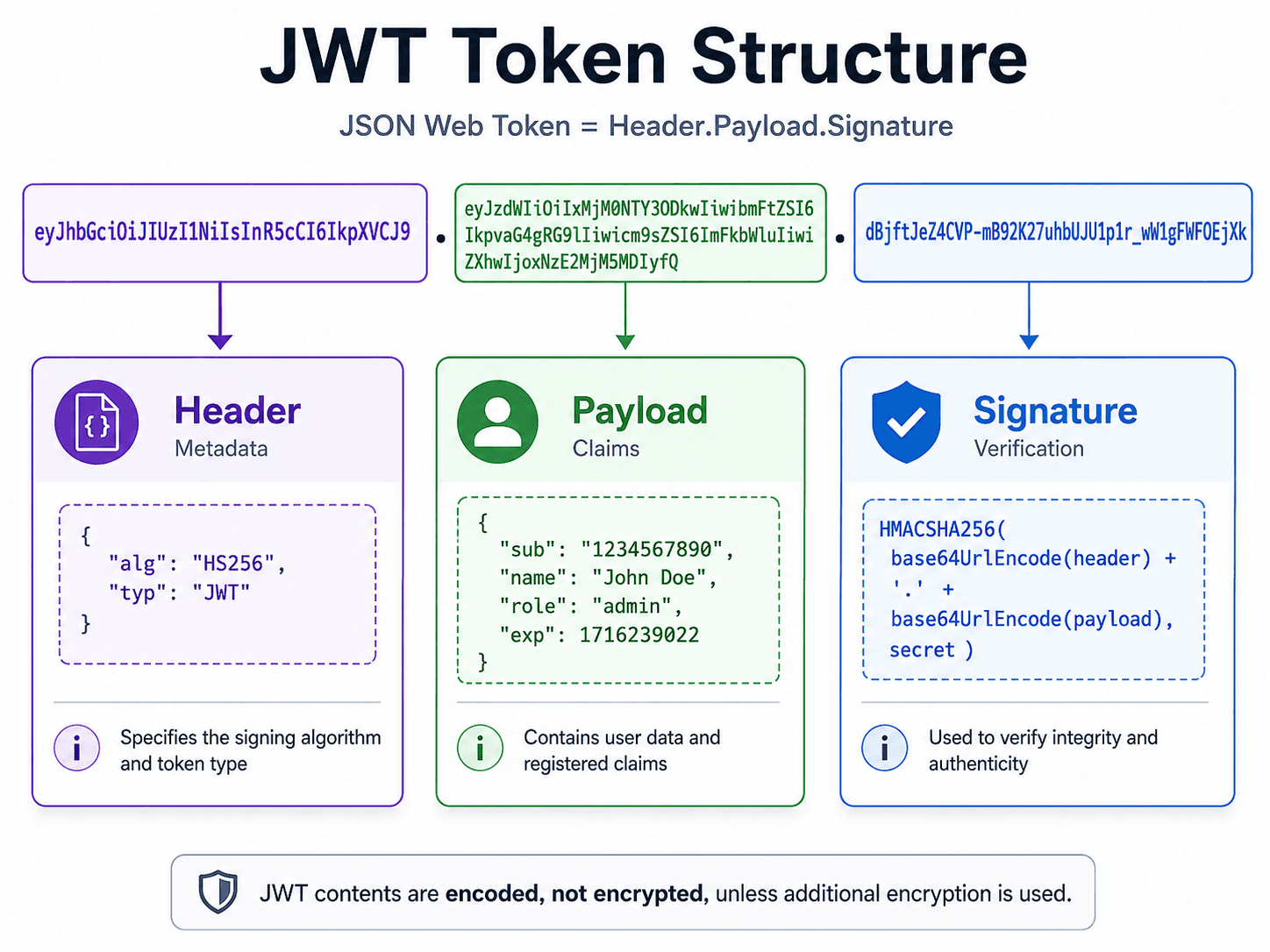
The important thing: JWT is signed, not encrypted. Anyone who gets the token can decode the payload. So never put passwords or sensitive data inside it — keep it lightweight. The signature is what protects the token. It lets the server verify that the content was not modified since it was issued.
The login service
Let's install the package:
npm install jsonwebtoken
npm install -D @types/jsonwebtoken
And use it in the service:
interface JwtPayload {
  _id: string;
}

class AuthService {
  public static async login(data: {
    email: string;
    password: string;
  }): Promise<{ user: Omit<User, 'password'>; token: string }> {
    const { email, password } = data;

    const user = await UserModel.findOne({ email });
    if (!user) {
      throw new Error("Incorrect credentials");
    }

    const isPasswordCorrect = await bcrypt.compare(password, user.password);
    if (!isPasswordCorrect) {
      throw new Error("Incorrect credentials");
    }

    const payload: JwtPayload = { _id: user._id.toString() };
    const token = jwt.sign(payload, process.env.JWT_SECRET as string);

    const { password, ...safeUser } = user.toObject();

    return { user: safeUser, token };
  }
}
Both the "user not found" and "wrong password" cases throw the same error message. This is intentional — returning different messages would tell an attacker which emails are registered.
Step 4: Auth Middleware
After login, the server returns a token. The client stores it and sends it with every subsequent request in the Authorization header:
GET /user HTTP/1.1
Authorization: eyJhbGciOiJIUzI1NiIsInR5cCI6IkpXVCJ9...
The middleware reads that header, verifies the token, and attaches the user to req.
import { NextFunction, Request, Response } from "express";
import jwt from "jsonwebtoken";

export const authMiddleware = async (
  req: Request,
  res: Response,
  next: NextFunction
) => {
  const token = req.headers.authorization;
  if (!token) throw new Error("Unauthorized");

  const { _id } = jwt.verify(
    token,
    process.env.JWT_SECRET as string
  ) as JwtPayload;

  const user = await UserModel.findById(_id);
  if (!user) throw new Error("Unauthorized");

  req.user = user;

  next();
};


declare global {
  namespace Express {
    interface Request {
      user?: User;
    }
  }
}
If the token is missing, invalid, or the user no longer exists — it throws. Express catches it and passes it to the error handler. The route itself stays clean.
Step 5: Protecting a Route
router.get("/user", authMiddleware, async (req, res) => {
  return res.json(req.user);
});
The middleware does the guard work. By the time the handler runs, req.user is guaranteed to be set.
What is next
That is a complete, minimal JWT auth flow — user model, registration with hashed passwords, login with token generation, and middleware to protect routes.
This setup is intentionally simple. If you are moving toward a real production system, here are a few natural next steps — not covered in this article, but worth knowing about:
- Token expiration — currently the token never expires. Pass
{ expiresIn: '15m' }tojwt.signand decide on a refresh strategy. - Role-based access — add a
rolefield to the user and check it in a separate middleware before sensitive routes. - Redis for caching — instead of hitting MongoDB on every request to resolve the user, cache the result in Redis by token or user ID.
Each of these adds complexity, so introduce them when you actually need them — not before.